
JTWhatsApp V20 (Jimtechs Edition)
by Jimtechs
JTWhatsApp V20 by Jimtechs: hide online status, freeze last seen, themes and fonts, bigger media sharing, more pinned chats, no ads, OTP or linked-device login.
- Version
- v20
- Updated
- Size
- 113.1 MB
About JTWhatsApp V20 (Jimtechs Edition)
JTWhatsApp V20 (Jimtechs Edition) is one of the longest-running WhatsApp mods for Android. It keeps everything you use every day — chats, groups, calls, status and backups — and adds privacy switches, deep customisation and fewer limits. V20 is built on WhatsApp 2.26.28.78.
What you get
- Privacy on your terms. Hide your online status, freeze your last seen and control what others can see.
- Make it yours. Change themes, fonts, colours and styles across the whole app.
- Share bigger, sharper media. Send large files and high-quality images without heavy compression.
- Pin more chats than the official limit allows.
- No ads and a clean interface.
- Two ways to sign in. Verify your number with a code (OTP), or use Linked device mode to run it next to the official WhatsApp on your main phone.
JTWhatsApp vs the official WhatsApp
| Official WhatsApp | JTWhatsApp | |
|---|---|---|
| Hide online / freeze last seen | Limited | ✓ |
| Full themes & fonts | ✗ | ✓ |
| Pinned chats | 3 | More |
| Large, high-quality media | Compressed | ✓ |
| Linked-device mode | ✓ | ✓ |
| Official support & Play Store updates | ✓ | ✗ (manual APK updates) |
How to install without losing chats
- In the app you use now, open Settings → Chats → Chat backup and create a fresh local backup.
- Download the APK and allow Install unknown apps if Android asks.
- Install, open the app and choose a sign-in method: verify your number with a code (OTP), or use Linked device mode to scan a QR code from your main phone and keep the official app active.
- Restore your backup when prompted.
- To update, install the new version over the old one.
Important: JTWhatsApp is an unofficial, third-party modification. It is not affiliated with, endorsed by or supported by WhatsApp / Meta. Using modified clients can break the official service's terms and may lead to a temporary or permanent account ban. Back up your data first and use it at your own risk.
Screenshots
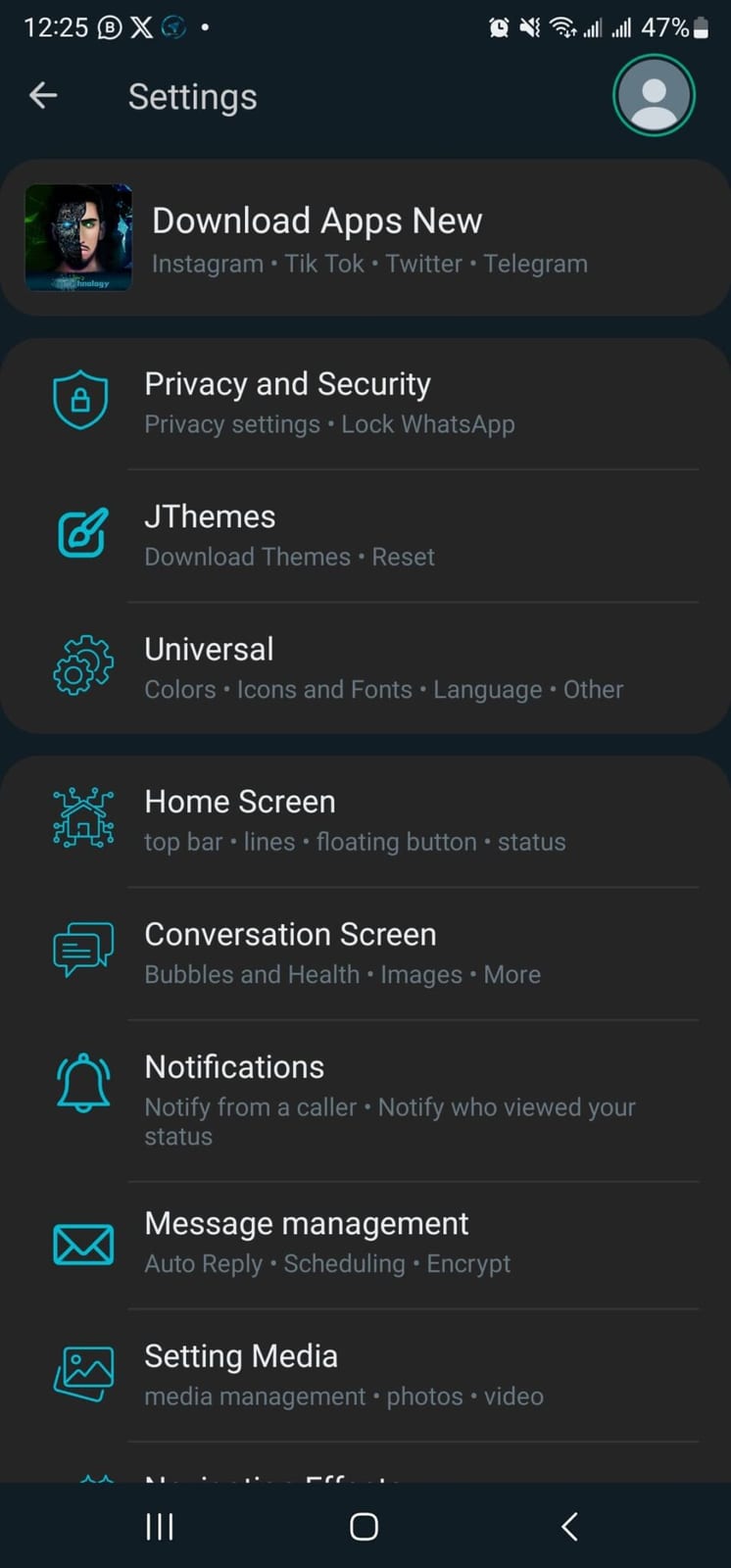
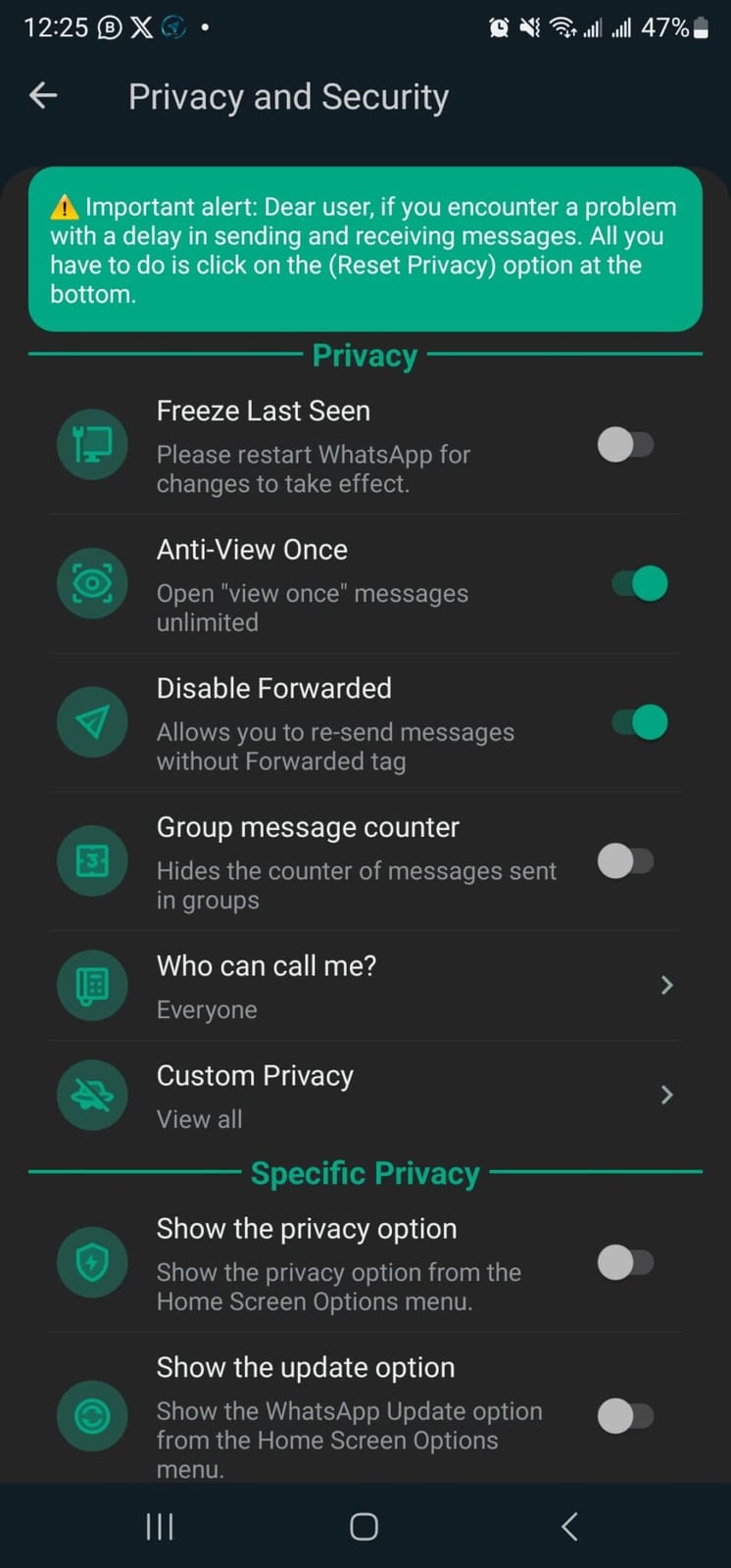
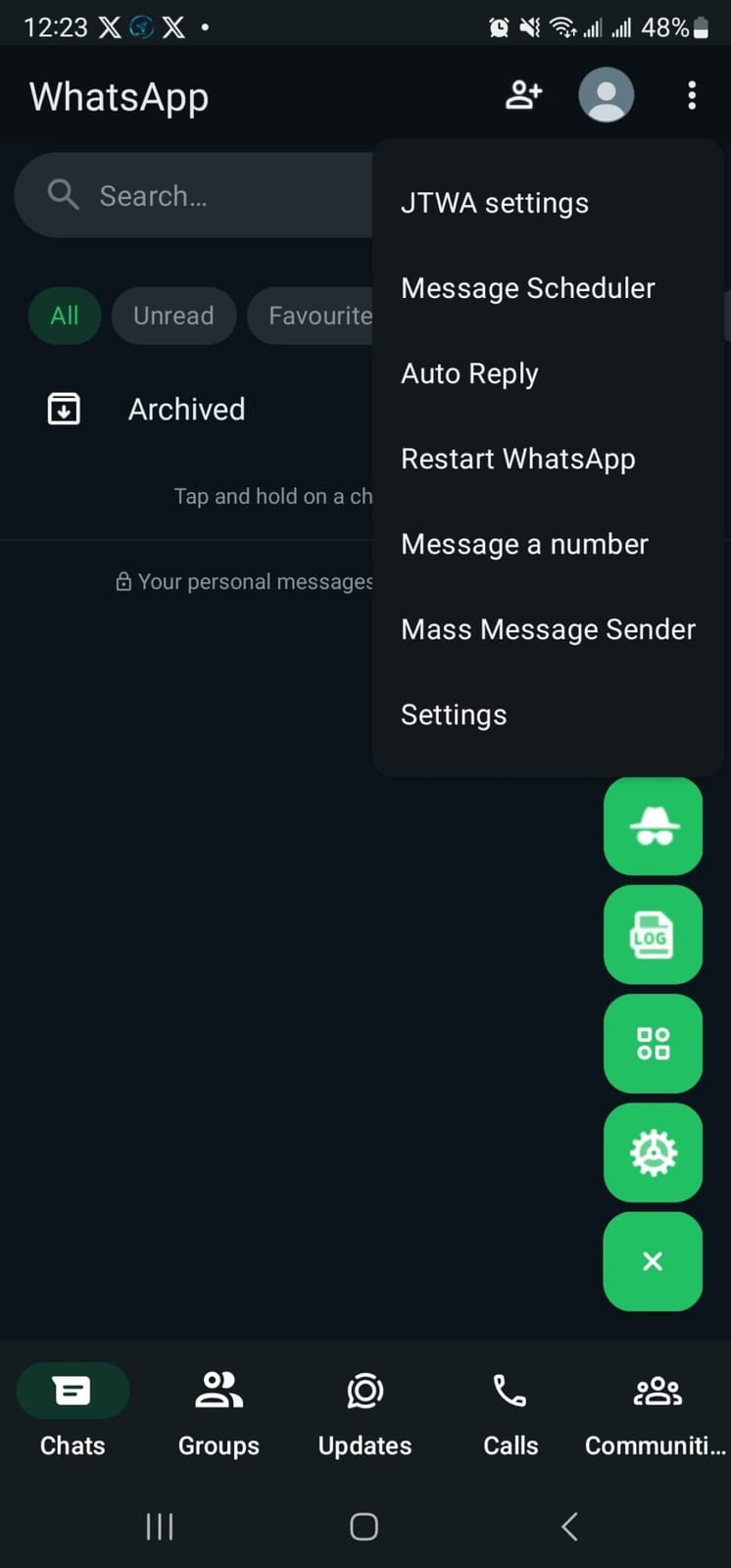
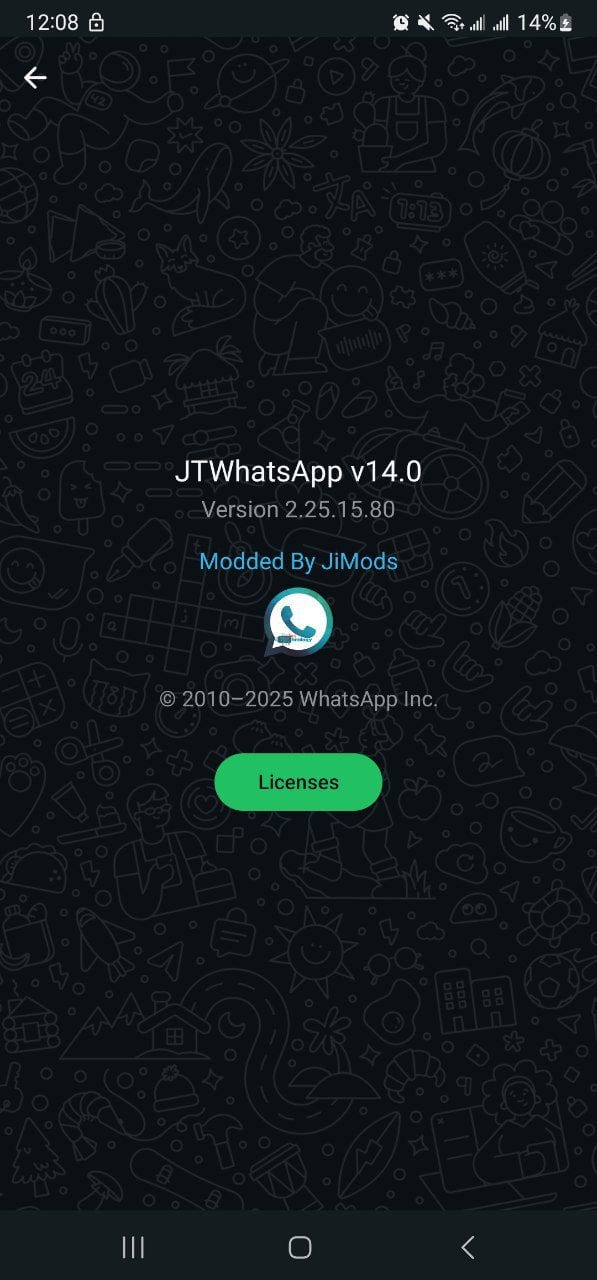
Key features
- Hide online status and freeze last seen
- Advanced privacy controls
- Themes, fonts, styles and colours
- Send large files and high-quality images
- Pin more chats than the standard limit
- No ads
- Backup and restore support
- One-tap music sharing
- Sign in with OTP or Linked device mode
About this version
- Modified by: Jimtechs
- Original app: WhatsApp / Meta
- Type: Unofficial modified APK (not on Google Play)
- Price: Free
Requirements
- Android smartphone
- About 300 MB of free storage (113 MB download plus room to install and restore chats)
- Permission to install apps from unknown sources
- A phone number for OTP sign-in, or your main phone for Linked device mode
Download JTWhatsApp V20 (Jimtechs Edition)
This version has not been reviewed yet. Install with care.
Alternative downloads (mirrors)
Files are hosted by third-party providers. MODZILO links to them but does not host installation files. Always install software from sources you trust.
Version history
See all-
- Released
- 25 Aug 2026
- Size
- 113.1 MB
Version details- Base updated to WhatsApp 2.26.28.78
- Fixed crashes at startup and in Settings
- Fixed linking / companion-device login
Ratings & reviews
Sign in to review
No reviews yet. Be the first to share your experience!
Frequently asked questions
Is JTWhatsApp free?
Yes. JTWhatsApp is free to download and use. There is no subscription and no in-app payment for the extra features.
Is JTWhatsApp an official app?
No. It is an unofficial modification made by an independent developer and is not affiliated with WhatsApp / Meta. Official features and support come only from WhatsApp / Meta.
Can my account be banned for using JTWhatsApp?
It is possible. Modified clients can break the official service's terms, and accounts using them can be restricted or banned. The risk is lower with a secondary account, and you should always keep a backup of your data.
Is JTWhatsApp safe to install?
Download only from the links on this page, keep Google Play Protect enabled and review the permissions the app requests. MODZILO lists the file's security review status on this page, and you can report any problem with the Report button.
How do I update JTWhatsApp?
Follow this page (the bell icon) to get notified when a new version is added, then install the new APK over your current version. Your settings are normally kept.
You may also like

GB WhatsApp
Communication
GB WhatsApp v20: improved device pairing, faster gallery, in-app contact editing, stability fixes for Android 6–8 and new account-protection options. Version history and install guide.

JTelegram (Jimtechs Edition)
Communication
JTelegram v16 by Jimtechs: a customised Telegram client with themes and fonts, smarter chat organisation, built-in translation and Chromecast streaming.

JTInstagram (Jimtechs Edition)
Social Media
JTInstagram v30 by Jimtechs: download Reels, stories and photos in high quality, ghost mode, no ads and reel speed control. Version history and install guide.

JTikTok (Jimtechs Edition)
Social Media
JTikTok v10 by Jimtechs: an unofficial TikTok client with a progress bar and speed control on every video, feed filters, offline saving and optional login.

InstaPlus (Insta+)
Social Media
5.0InstaPlus (Insta+) v26: a free Instagram mod with media downloads, privacy options and no ads, plus collections, story controls and notification tuning. Version history and install guide.

MODZILO – Apps, Mods & Update Alerts
MODZILO app · Tools
The official MODZILO app for Android: browse and search the whole catalogue, follow apps and developers for new-version alerts, and read guides in English and Arabic.
Guides & articles
Developer
Jimtechs

Something wrong?
Report a broken link, outdated info, a copyright issue or a security concern.